admin
admin 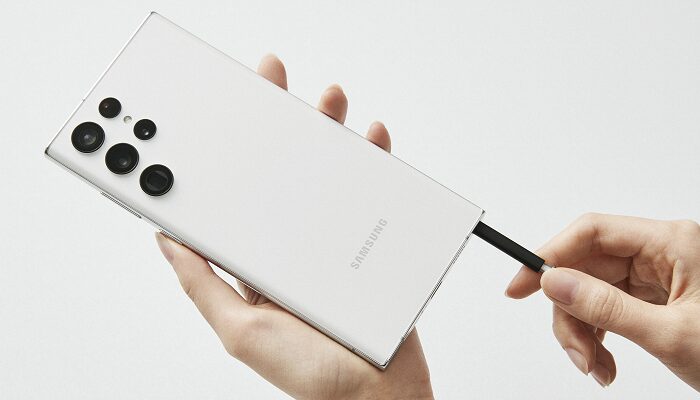
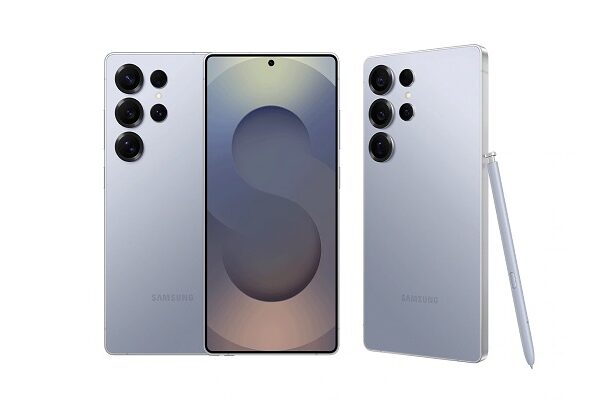
The S Pen (found in Samsung Galaxy Ultra and Note series) is a powerful stylus designed for precision, productivity, and creativity. Here’s what it can do 👇
🖊️ Main Features of the S Pen
- Writing & Drawing
- Take notes directly on the screen (even when it’s off — called Screen Off Memo).
- Draw, sketch, and doodle with pressure-sensitive accuracy.
- Convert handwriting to text instantly.
- Air Actions (Bluetooth Control)
- Use gestures to control the phone remotely:
- Swipe or rotate in the air to switch camera modes, change slides, or control music.
- Take photos remotely — perfect for group shots.
- Use gestures to control the phone remotely:
- Smart Select & Screen Write
- Capture specific parts of the screen as images or GIFs.
- Write or draw on screenshots instantly.
- Air Command
- A pop-up menu appears when you hover or tap with the S Pen — giving quick access to note-taking, screen capture, or translation tools.
- Translate & Magnify
- Hover the pen over text to translate words or phrases.
- Use it as a magnifying glass to zoom into small text or details.
- Live Messages & AR Doodle
- Create animated handwritten messages or drawings.
- Draw in augmented reality (AR) using the camera.
- Precision & Pressure Sensitivity
- Detects multiple levels of pressure for natural pen strokes — great for digital artists and designers.
- Air Command Shortcuts
- Customize shortcuts for your most-used apps and tools.
- Samsung Notes Integration
- Syncs across Galaxy devices (phones, tablets, PCs).
- Supports drawing layers, audio notes, and PDF annotation.
- Low Latency & Battery-Free Writing
- The latest S Pen offers ultra-low latency (around 2.8 ms) — feels almost like real ink.
- Doesn’t need to be charged for writing (only for Bluetooth features).